Your files, ready to read
Open CBZ, CBR, CB7, ZIP, RAR, PDF and image folders without unpacking. Import from Files or a share sheet, and organise your books in nested folders.
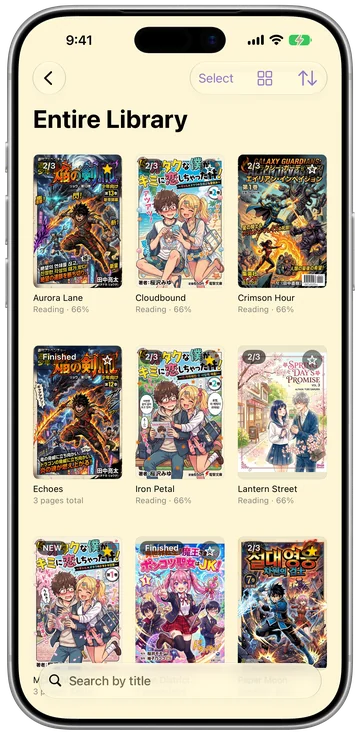

Bring the comics and novels you already own. Open them as they are, and translate manga speech bubbles right on your device.
Penguin: CBZ CBR Comic Reader


iOS 18, iPadOS 18 or macOS 15 and later
Open CBZ, CBR, CB7, ZIP, RAR, PDF and image folders without unpacking. Import from Files or a share sheet, and organise your books in nested folders.
Speech bubbles are detected and translated in place, including vertical Japanese. Your original file stays unchanged. Pages and text are not sent away for translation.
After Apple’s language models have downloaded, translation works without an internet connection.
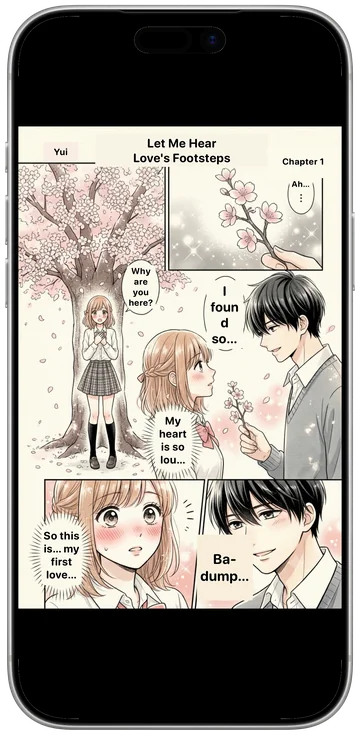
Try the translation
In your own comic files, Penguin Viewer finds speech bubbles, erases the original lettering and draws each translated block in place. All on your device.


This real Penguin Viewer screen shows Japanese translated into English on the device.
Read TXT, MD and EPUB. Adjust the font, size, spacing and background, or jump to a chapter from the contents. Translate a sentence or page alongside the original.



Real app captures · detail
Read a single page or a two-page spread, turn manga right to left, and pinch to zoom. Webtoon reading uses vertical scroll with auto-scroll.
Drop files onto the window and turn pages from your keyboard. Reading positions, bookmarks in TXT, MD and EPUB books, and folder layout sync through your own iCloud Drive; book files are not uploaded.
An interface in 17 languages
iOS 18, iPadOS 18 or macOS 15 and later
Also on the Mac App Store

Real app captures · detail
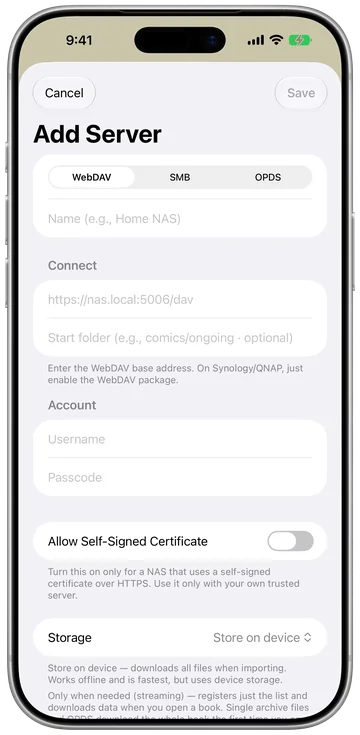
Connect through SMB, WebDAV or OPDS, including Komga and Kavita via OPDS. OPDS-PSE fetches the pages you read. Server passwords stay in your device keychain.
SMB / WebDAV / OPDS
See reading statistics, streaks and your reading calendar.
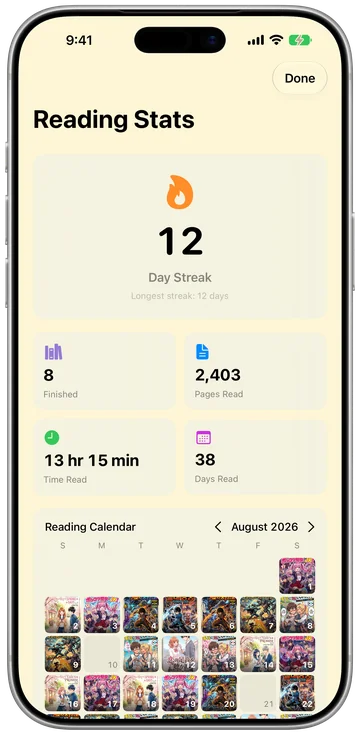
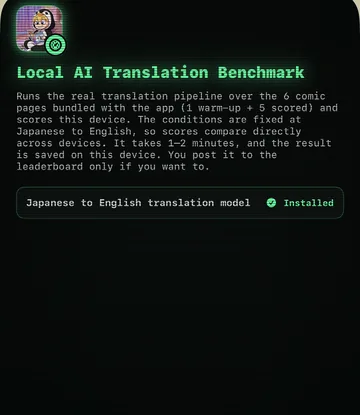
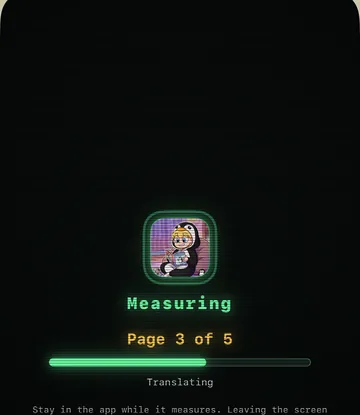
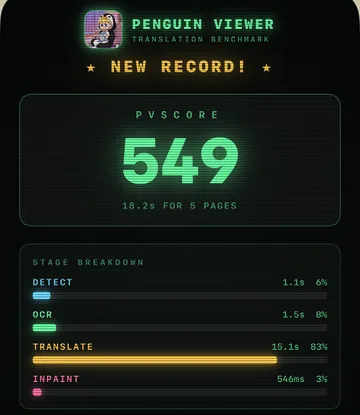
Real app captures · detail
Time a manga page through detection, OCR, translation and inpainting to get your PVScore. Save a PNG result card or post to the worldwide top 500. Benchmark and leaderboard use is free, with no run limit.
Posting is optional. Your nickname, score, timings and device details are sent to Apple CloudKit when you post. Privacy Policy
All features are available for free. Pro removes the library limit with a one-time purchase.
Free
$3.99
A one-time purchase. The price is valid until 31 December 2026.

Comics open as CBZ, CBR, CB7 (7z), ZIP, RAR, PDF or a folder of images, and archives are read without being unpacked. Novels open as TXT, MD or EPUB. Books come in from the Files app, from another app's share sheet, or by dropping them onto the Mac window.
After Apple’s language models have downloaded, translation works without an internet connection. Translation runs entirely on your device. Pages and text are not sent anywhere.
Without Pro the library holds 30 books at a time, while every feature keeps working. Deleting a book frees its place again. Sharing the app once from the share sheet adds ten more books for good, which makes 40, and Lifetime Pro removes the limit altogether.
No. iPhone, iPad and Mac come from the same App Store record, and the purchase is tied to your Apple Account, so restoring it on the other devices is enough. Family Sharing is turned on for it as well.
Book files stay on your device. Small iCloud Drive files sync your reading position, bookmarks in TXT, MD and EPUB books, and folder layout. Posting a benchmark score or connecting MyAnimeList is optional and sends the relevant data to those services.
Questions, bug reports and requests to remove a leaderboard entry all reach us by e-mail. Penguin Viewer is made by HoneybeeMobility, an app studio in Incheon, Korea.
krausehaileydanielle@gmail.com