
Locked statements
open on iPhone
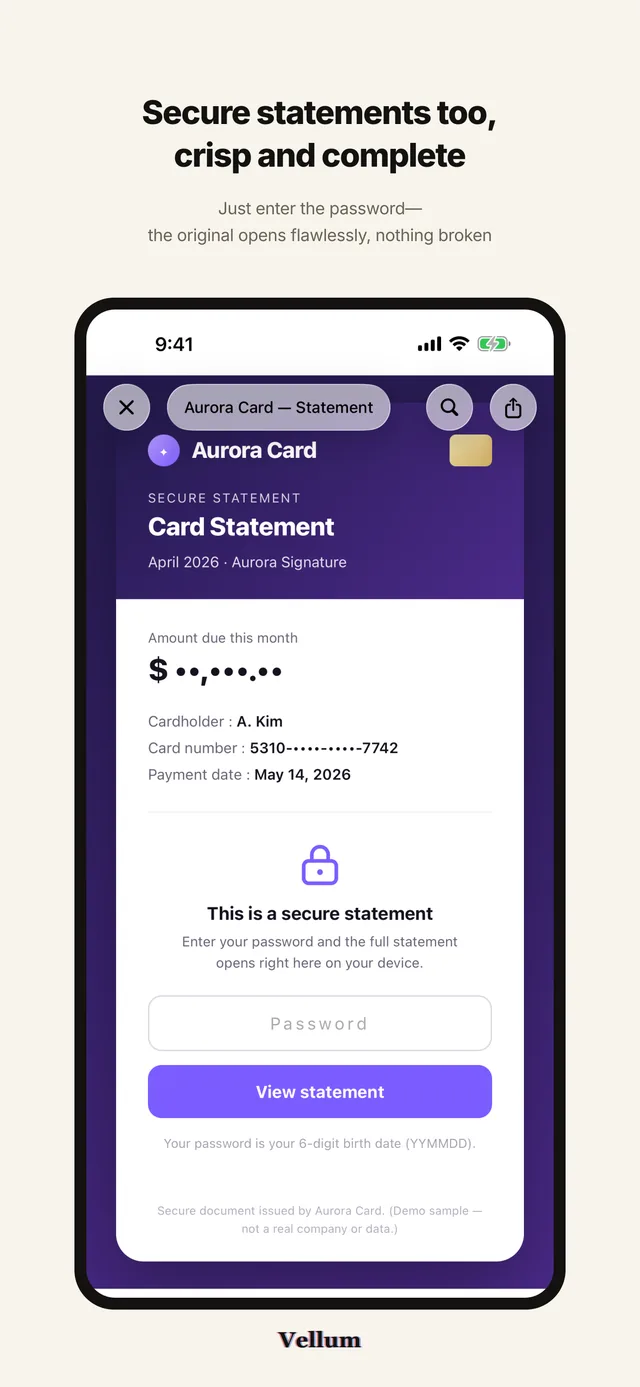
Vellum opens the password-protected HTML documents companies send by e-mail, and PDFs as well, on iPhone and iPad. The page renders as it was written, you type the password into the document itself, and nothing is sent to us.
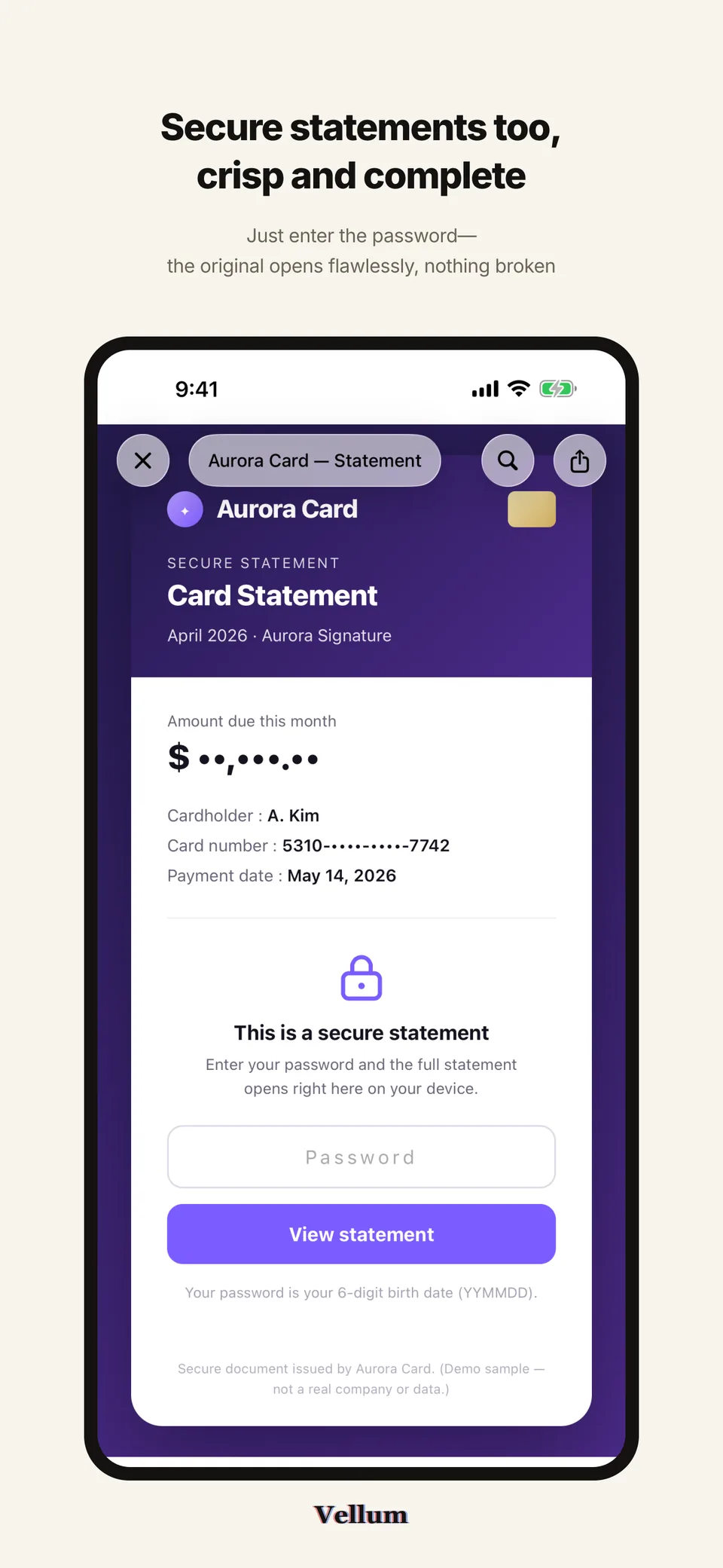
The documents Vellum opens
Vellum was built for the password-protected HTML documents that companies, card issuers, insurers and telecom operators send by e-mail. PDFs open the same way, including the ones that ask for a password. Reading a statement no longer means finding a desktop computer.
Payslips
Monthly pay statements usually arrive as a protected HTML attachment. Opened in Vellum, the tables and formatting are the ones payroll produced.
Card statements
Card and bank statements use the same format. Open one and it stays in your library, so you are not hunting through old mail next month.
Telecom bills
Phone bills, insurance notices and similar mailings that other apps show as a blank page or as raw code are displayed properly here.
Ordinary and password-protected PDFs open too. For a protected PDF, iOS asks for the password itself, then shows the pages in a continuous scroll.
Vellum opens the file you were sent and shows it. It has no connection to the companies that issue these documents and does not verify, alter or reissue anything in them.
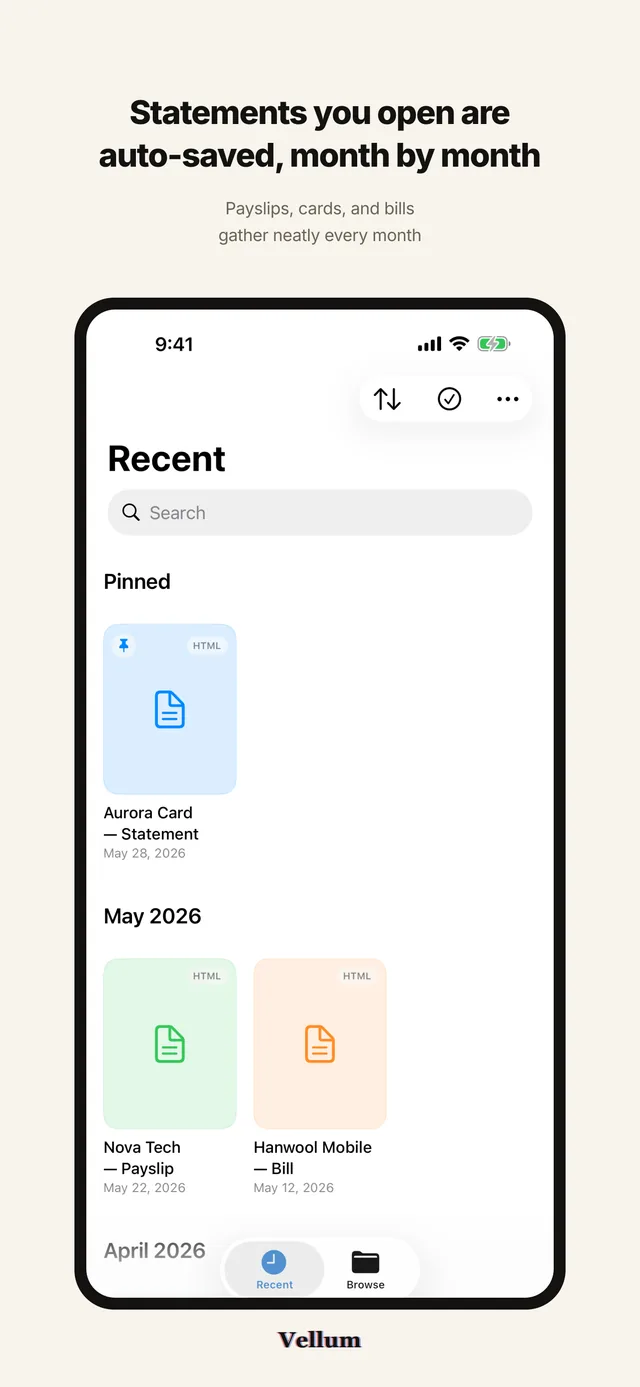
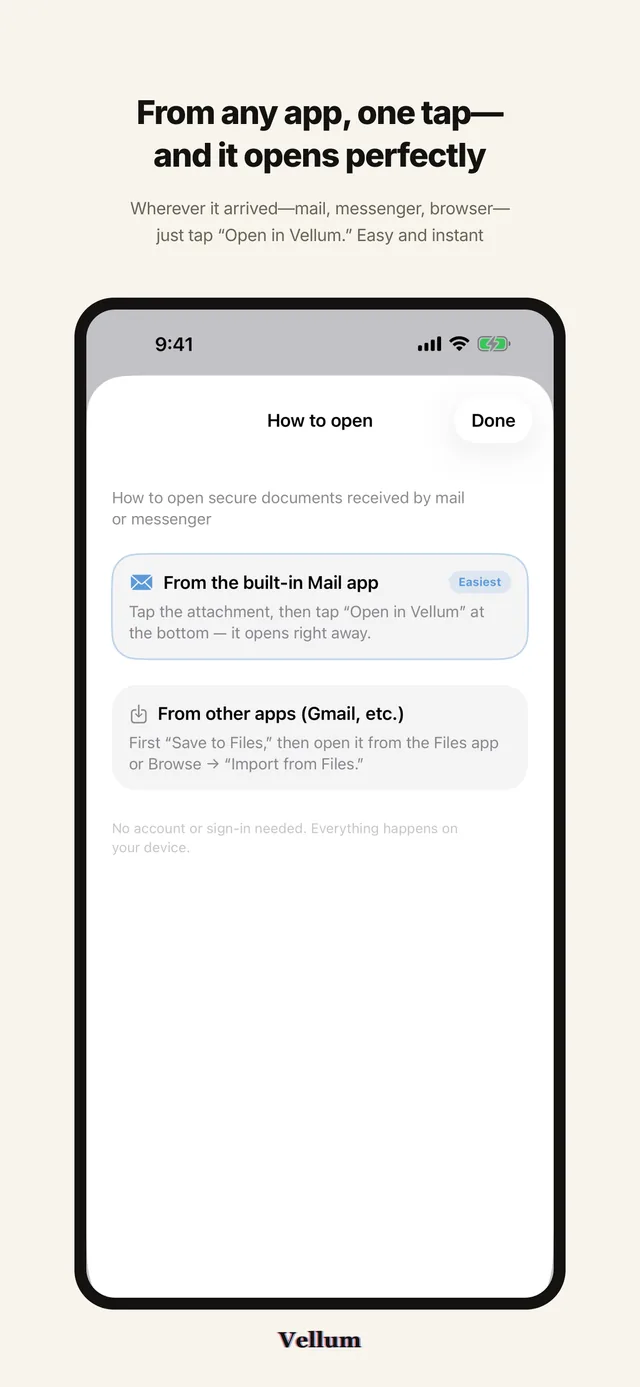
How a document arrives
Vellum registers itself as a handler for HTML and PDF, so it appears wherever iOS offers to open a file. There is nothing to configure and no account to create before the first document.
From a Mail attachment
Tap the attachment in Mail, open the share sheet and choose Vellum. The document opens at once, and it is added to your library at the same moment.
From the Files app
In Files, tap the document and pick Vellum, or use Import from Files in the Browse tab. Your file stays where it is; Vellum keeps its own copy in the library.
From any other app
Messengers and browsers offer the same share sheet. When an app does not list Vellum, use Save to Files first and open the saved copy from there.
The How to open screen inside the app walks through the Mail route and the route for other apps. Once the document is on screen, you type its password into the page itself.
The document as it was sent
The file is loaded into a web view with its own scripts running, so the layout, tables and fonts are the ones the sender chose. Vellum does not re-typeset the contents, summarize them or convert them to another format.
The password stays yours
The password field belongs to the document, not to the app. You type it into the page, the document opens itself, and Vellum never reads, stores or sends what you typed.
Nothing left in a cache
The viewing session uses a non-persistent data store, so cookies and cached data are gone the moment you close the document. Only the file itself stays, in your own library.
Find in the document
Search inside an open HTML document from the toolbar. The system find bar highlights every match and steps through them, which beats scrolling a long statement line by line.
Export as PDF
Turn an open HTML document into a PDF and then save it, print it or send it on. Sharing the original file untouched is in the same menu.
The password belongs to the document. You type it into the page the sender wrote, and Vellum never reads it, stores it or sends it anywhere.
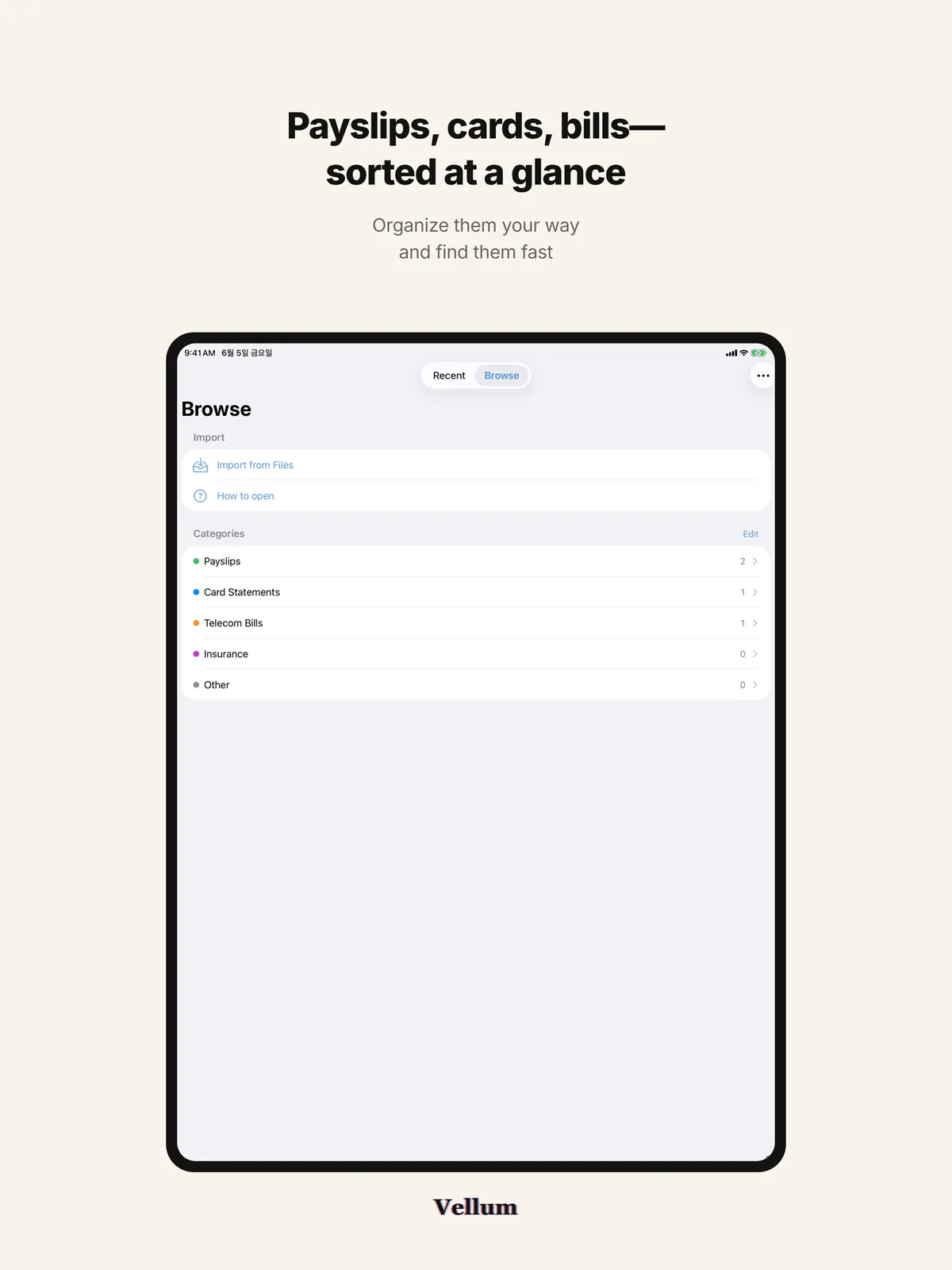
A library filed by month
Every document you open is added to a library and grouped by month, so last month's statement is one tap away instead of somewhere in your mailbox.
Pinned
Documents you come back to can be pinned. They sit in a Pinned section above the monthly groups and stay there however long the library grows.
Categories
A few categories come with the app, and you can rename them, change their color or add your own. Assign one to a document, then open that category to see only those documents.
Search, sort, rename
Search the library by name, sort by date opened or by name, rename an entry to whatever you actually call it, and delete several documents at once in selection mode.
Auto-cleanup
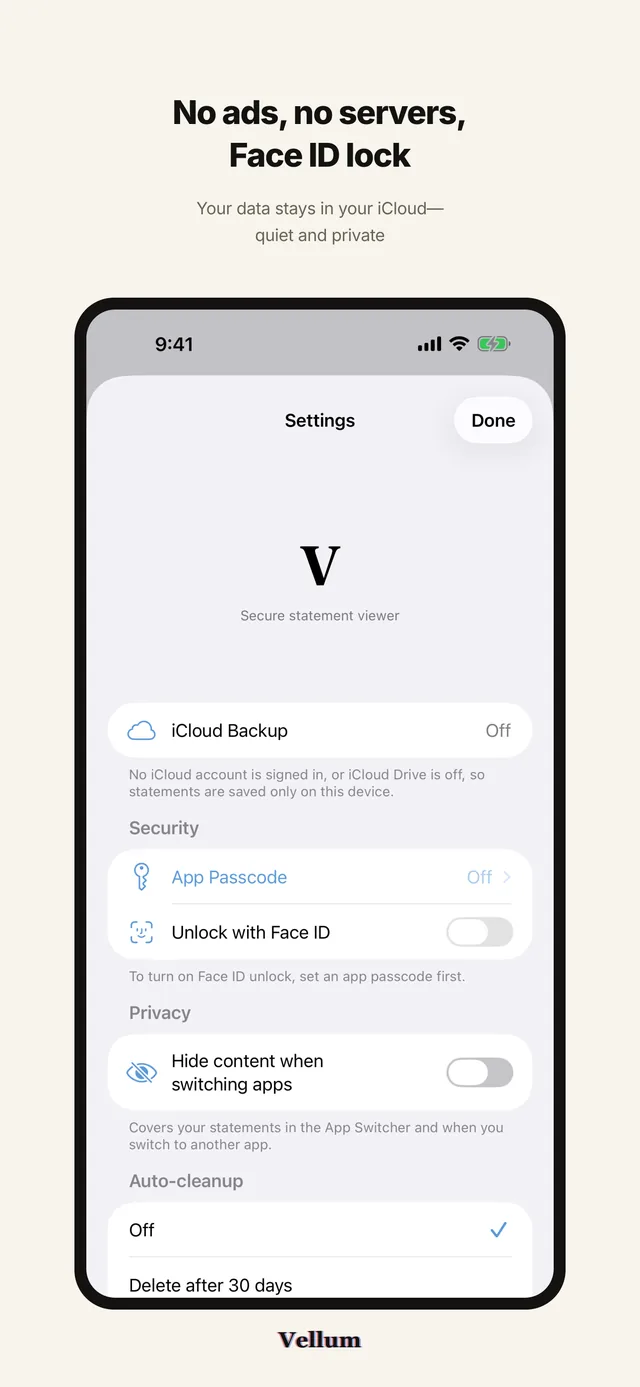
Set a window and the app clears entries older than it. Anything you delete by hand goes right away, and the stored original file goes with it.
Auto-cleanup is off, 30, 60 or 90 days, chosen in Settings. Deleting an entry deletes the copy Vellum stored; the file in the Files app is left alone.
Documents stay on your device
Vellum has no company server and no sign-in. The app contains no networking code, and every framework it uses is Apple's own.
No URLSession, no HTTP calls, nothing sent to us. The app works with the network switched off.
No sign-up, no login, no profile. You buy the app and open it.
No analytics, no tracking identifier and no third-party SDK of any kind.
Where documents are kept
Originals and the store.json index live in the app's iCloud Drive container Documents folder when iCloud is available, and in Application Support/Vellum on the device when it is not. A document is only as private as the device holding it.
App lock
The app passcode is stored only as a SHA-256 hash on the device, and Face ID is checked by the system. Contents can also be hidden whenever you switch away from the app.
Face ID is the only permission
There is no camera, microphone, photo library, location, contacts or notification access, and no tracking prompt. The single entitlement is iCloud CloudDocuments.
iOS 17 · iPadOS 17 · version 1.1.4
One purchase, nothing after it
Vellum is a paid app and that is the end of it. Nothing renews, nothing expires, and every feature is unlocked from the first launch.
Vellum
$1.99one-time
iPhone and iPad, universal purchase
- The viewer, find in the document, PDF export and sharing are all included.
- So are the library, pinned items, categories, search and auto-cleanup.
- The app passcode, Face ID lock and iCloud Drive sync come with it.
- One purchase covers iPhone and iPad under the same Apple Account.
- $1.99 is the price on the US App Store.
- There is nothing else to buy inside the app, and no recurring charge of any kind.
- Purchases and refunds are handled by Apple through your App Store purchase history.
Questions people ask
Which files does Vellum open?
Does the app know my document password?
Do my documents leave the device?
I have an iPhone and an iPad. Do I pay twice?
Can I keep a copy of a statement?
How do I reach you when a file will not open?
Documents and contact
Settings has a Contact Developer row that opens a mail composer. Reports about a file that will not open, and feature requests, reach the address below.